WELCOME!
Delegate Your First AI Task
Follow these 7 steps to set up Claude and start delegating real work.
Estimated time: 60-90 minutes
No technical background required.
Before You Begin
Already Using ChatGPT?
Perfect.
You're not starting from scratch.
If you've already been using ChatGPT, you've already taken the first step.
Now you're going to configure an AI agent that can remember your business, connect to your tools, and complete real work for you.
For this guide, we'll focus on Claude Cowork, the setup I recommend for business professionals who want to delegate real tasks without writing code
If you prefer another platform like ChatGPT, Perplexity, or Manus, you can follow the same overall process.
What is Claude?
Claude is an AI platform created by Anthropic.
Like ChatGPT, Claude can answer questions, write content, analyze information, and help you think through problems.
Claude is the AI model. It provides the reasoning and language capabilities behind the work.
What is Claude Cowork?
Cowork turns Claude from a chat assistant into a digital worker. Running right inside the Claude desktop app, it completes multi-step projects using the specific files, context, and tools you give it access to.
Regular Claude chat works similar to ChatGPT regular chat. You ask for something, Claude responds, and you have to prompt it.
Cowork is built to complete full multi-steps tasks. You give Cowork a goal, access to the right information, and permission to use approved tools. Claude can then plan the work, complete multiple steps, and return the result for your review.
Other Agentic Platforms
Claude is not the only platform that supports agent-based work. You can follow the general steps on guide to also set up ChatGPT Work or Perplexity Computer. You'll need to download their respective desktop apps instead.
This guide walks you through setting up Claude Cowork from zero to delegating your first task. 👇
How AI Agents Work
Every AI agent has at least three core components.
A Brain
🧠
Their intelligence, problem-solving ability. This is the model like Claude Astra or Opus.
Memory
🧩
Their knowledge of your business, brand voice, and reusable skills to do work like you.
Tools
🔌
Their login access to apps like your email, calendar so it can execute tasks there.
What You'll Build Today
By the time you finish this guide, you'll be able to delegate your first task to Claude Cowork.
Don't worry about making everything perfect.
Today your goal is simply to get your first AI agent working. You can improve and expand it later.
Let's do this!.
↓
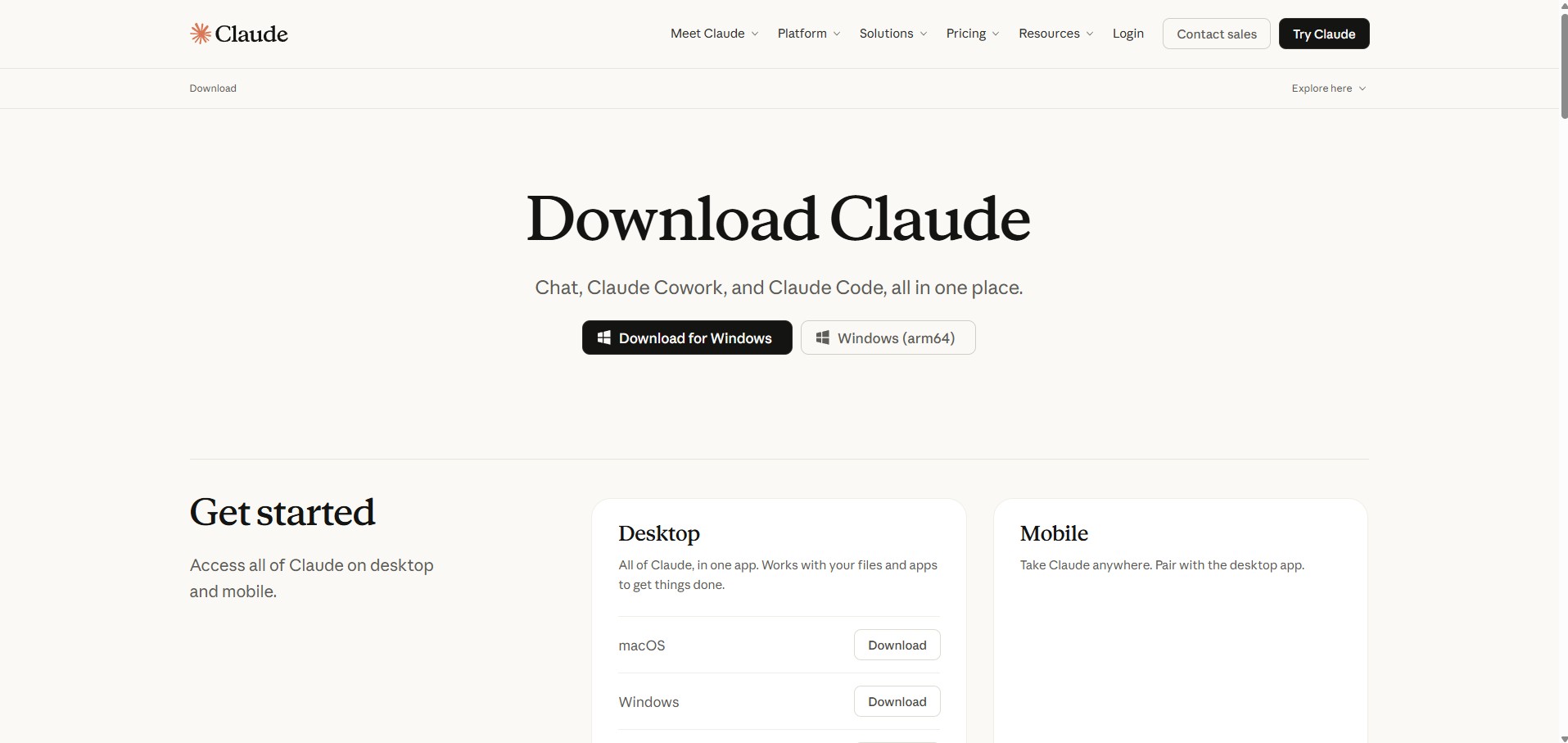
Step 1. Install the Claude Desktop App on Your Computer
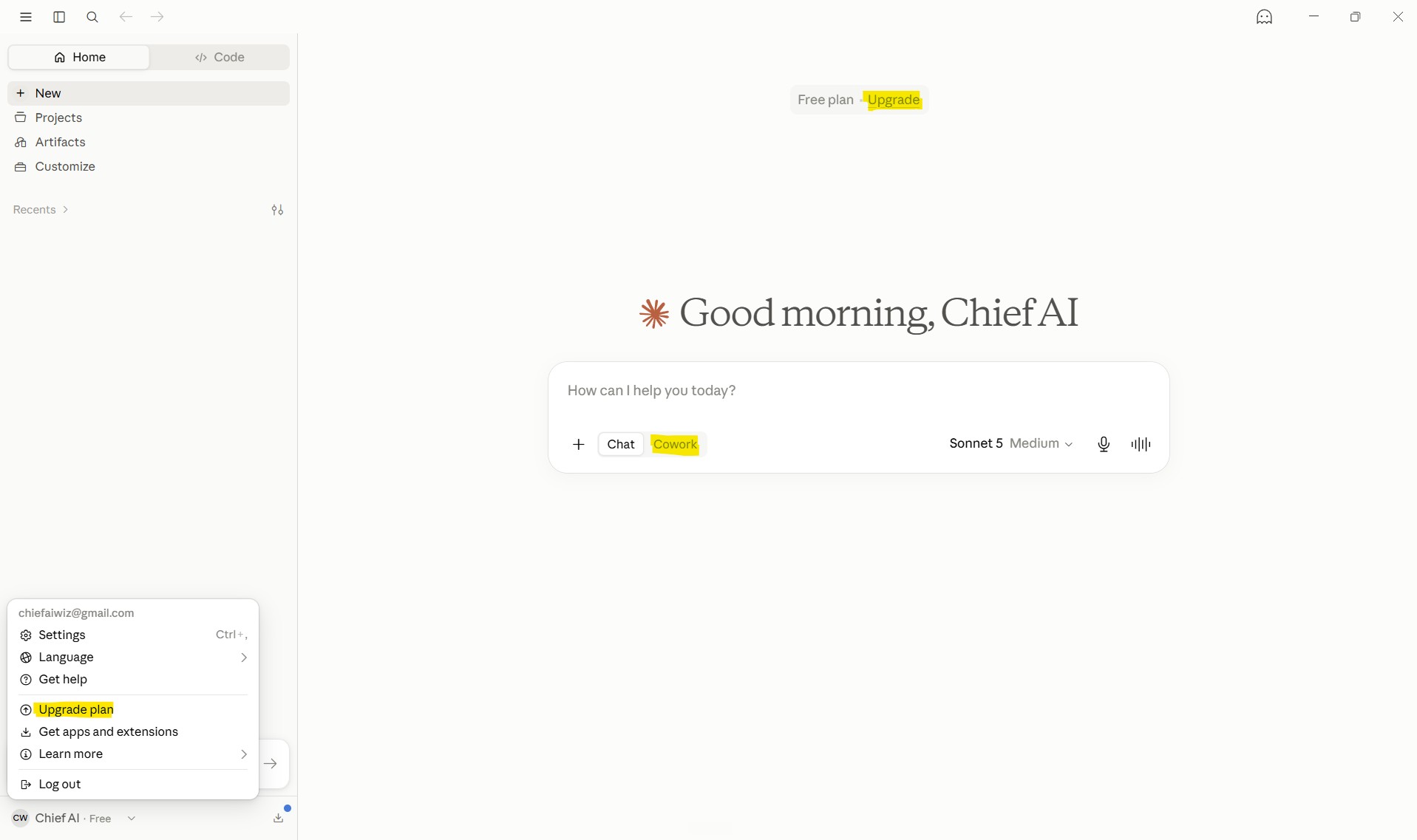
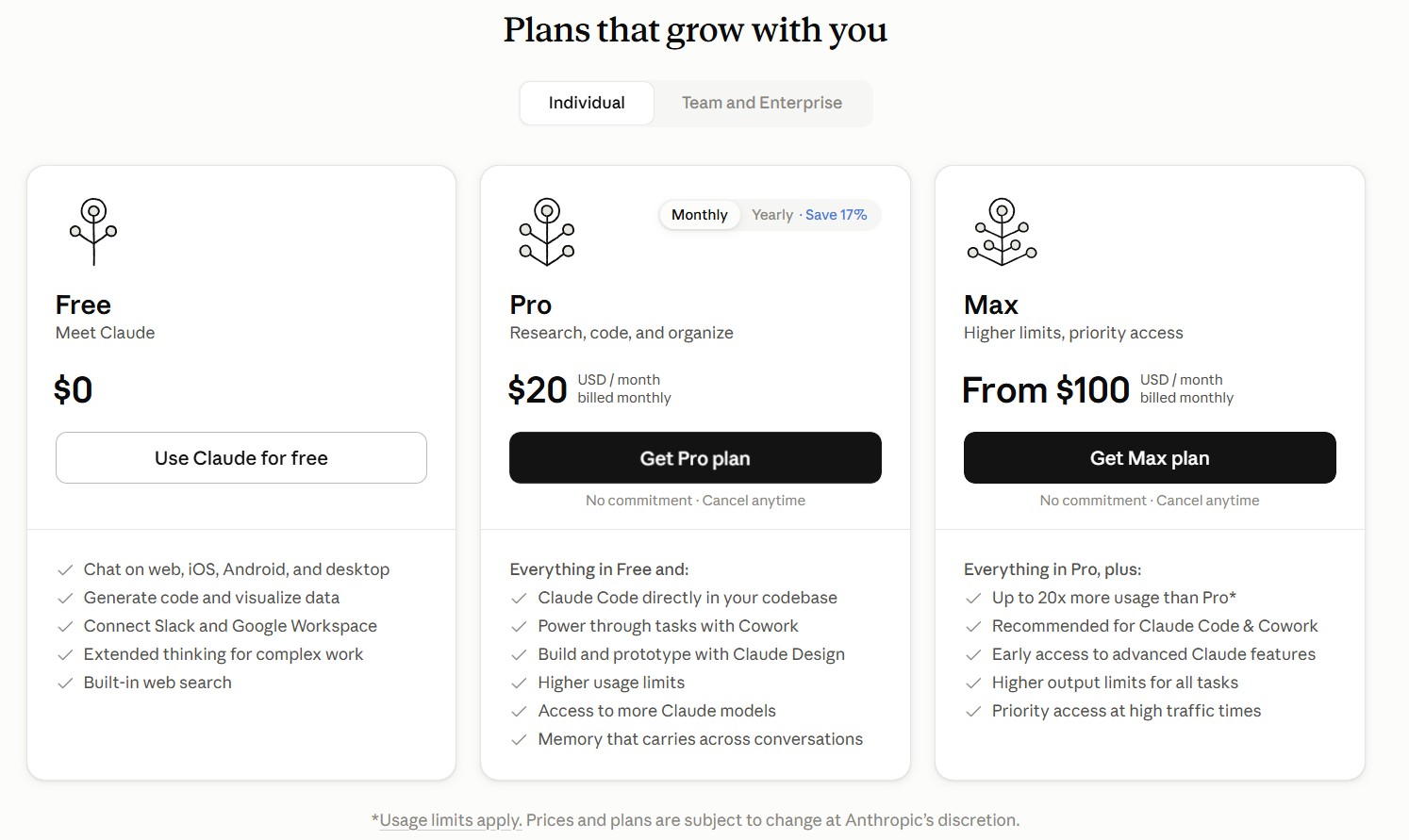
Step 2. Upgrade to a Paid Claude Plan
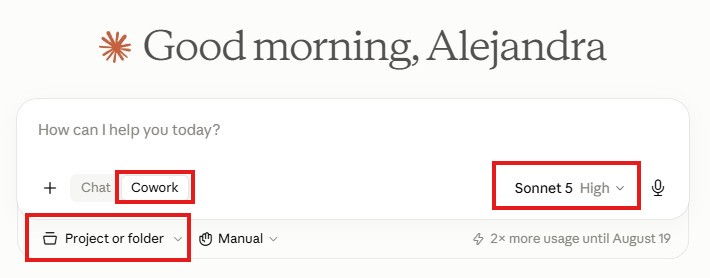
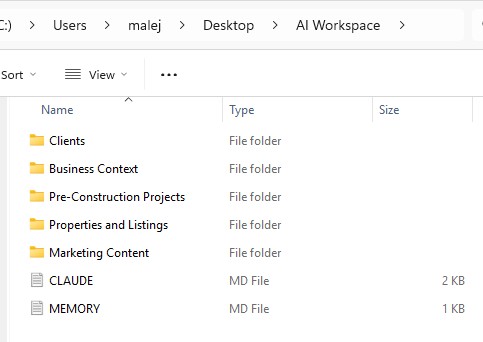
Step 3. Set Up Your AI Workspace Folder
Step 4. Connect Your AI Workspace

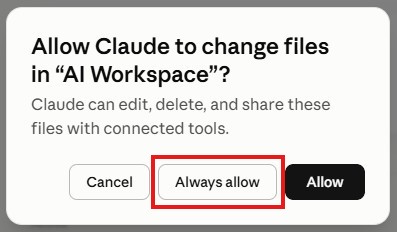
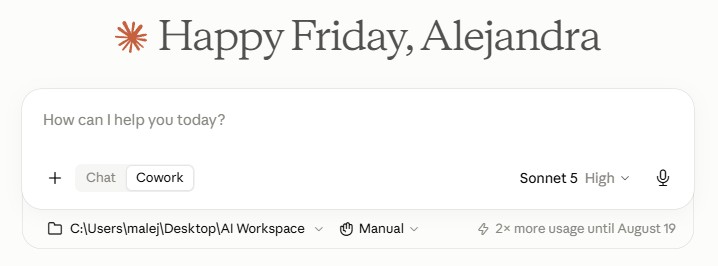
Step 5. Load Your Business Context & Knowledge
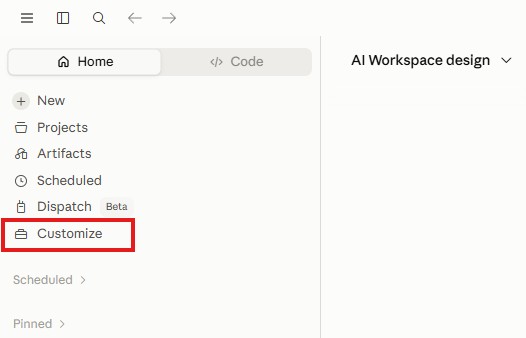
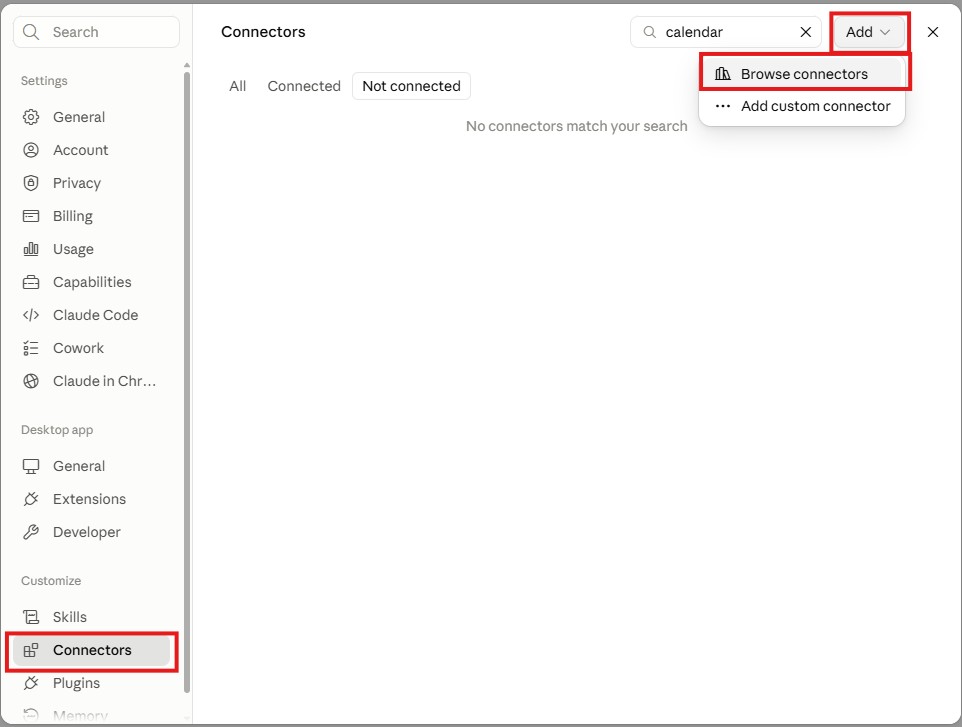
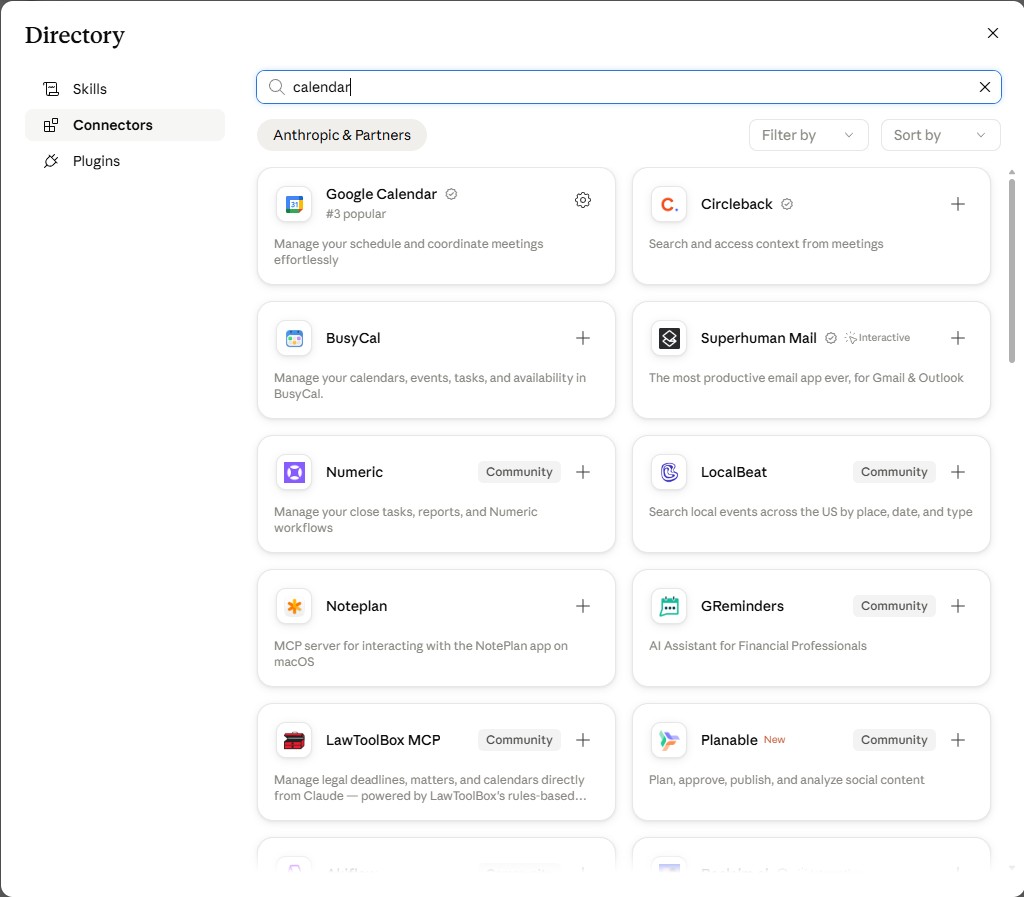
Step 6. Connect Your Daily Business Apps
Step 7. Delegate Your First Real Task
🎉 Congratulations!You did it.
You just went from chatting with AI to delegating your first real task with Claude Cowork.
You installed Claude Desktop, created your AI Workspace, gave Claude context about your business, connected a business app, and put Cowork to work.
You've built the foundation.
But you have only scratched the surface of what Cowork can do.
Got stuck along the way?
Maybe one of the steps took longer than expected.
Maybe you weren’t sure how to structure your workspace, what Claude should remember, which connectors to use, or what tasks you should delegate first.
Or maybe you got everything working and now you’re thinking:
“What else can I make this thing do?”
That’s exactly why I created the live workshop 👇👇👇
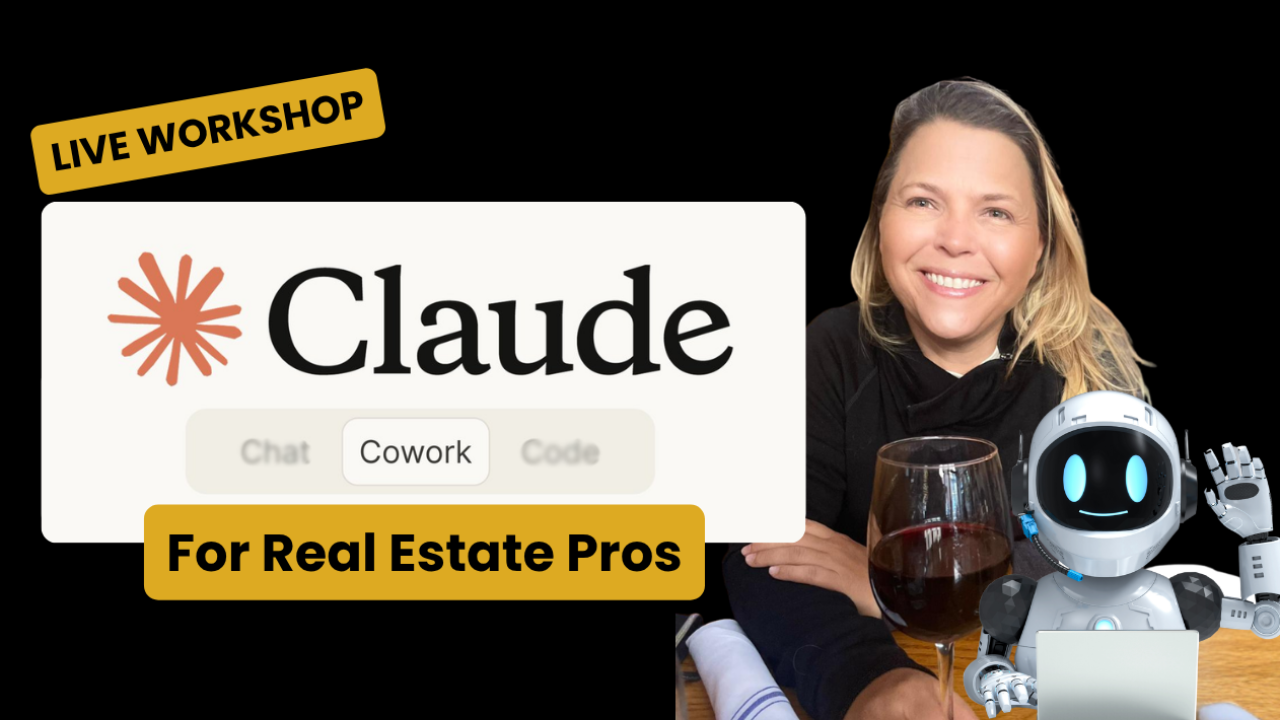
LIVE WORKSHOP
Build your Real Estate Business Operating System. Powered by Claude Cowork.
Stop chatting. Start delegating real work to AI.
3 hours
Live and virtual
Small group
This is a 3-hour, live, small-group working session where we set up Claude Cowork together and start putting it to work on real business tasks.
This is not a passive webinar with 500 people where all you'll do is watch.
You'll follow along, ask questions, and build alongside me.
By the end of the workshop, you'll have:
✓ Set up your custom AI workspace and core files (CLAUDE.md, MEMORY.md) step-by-step alongside me.
✓ Migrate your existing ChatGPT or other AI context into Claude
✓ Connect two apps you regularly use, like Gmail or Google Calendar
✓ Install two useful plugins
✓ Build at least one reusable skill
✓ Apply 5 real estate use cases to sales, lead generation, listings, CRM follow-up, marketing, and daily planning
✓ Configure a scheduled task for your AI agent
✓ Leave with a roadmap toward your AI Business Operating System
✓ Get live access to Alejandra Teran ("Chief AI Wiz") to ask questions and get help while you build
✓ Keep access to the workshop recording for 60 days
Why come live:
You can absolutely keep going on your own. This guide gave you the starting point.
The workshop is for you if you want to sit down with me for three focused hours, build the setup correctly, see real estate workflows in action, and leave knowing what to do next.
Small group. Hands-on. Real examples. You build while we work.
Skip the guesswork. Walk away with your first AI employee, set up right 👇